Kraken v2 Android Banking RAT
Kraken v2 Android landscape has become a prime target for cybercriminals, with Android devices being particularly vulnerable due to their open ecosystem and widespread adoption. Among the most dangerous threats to emerge is an advanced banking Remote Access Trojan (RAT) that combines sophisticated financial fraud capabilities with robust remote-control features. This malware has been actively targeting banking customers worldwide, demonstrating how cybercriminals are adapting desktop attack techniques to the mobile environment. Its ability to bypass security measures and manipulate banking apps in real-time makes it one of the most effective tools for mobile financial fraud today.
Download Link 1
Download Link 2
Download Link 3
Download Link 4
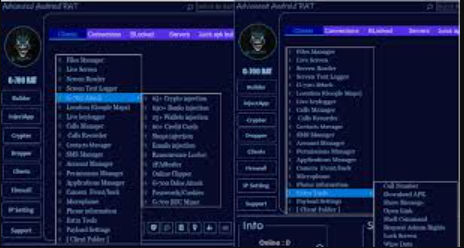
This software is a sophisticated Android banking trojan that functions as both a credential stealer and a full-featured RAT. It primarily targets online banking users by employing overlay attacks, keylogging, and screen capture capabilities to steal sensitive financial information. The malware is typically distributed through malicious apps disguised as legitimate banking software, utility tools, or game mods on third-party app stores. Once installed, it gains extensive permissions to monitor device activity, intercept SMS messages (including two-factor authentication codes), and even take remote control of the infected device. Cybercriminals frequently use this malware in coordinated attacks against both individual bank customers and financial institutions.
Key Features of Kraken v2 Android
| Feature | Description |
| Overlay Attacks | Displays fake login screens over legitimate banking apps |
| SMS Interception | Reads incoming messages, including 2FA codes |
| Keylogging | Records all keystrokes entered on the device |
| Remote Control | Allows attackers to manipulate the device through VNC |
| Screen Capture | Takes screenshots of banking app activities |
| Notification Hijacking | Intercepts and hides banking app notifications |
| Contact List Theft | Harvests phone contacts for further phishing attacks |
| Self-Protection | Uses obfuscation and anti-analysis techniques |
How the Kraken v2 Android Works
The malware operates through a carefully orchestrated infection chain designed to maximize financial theft while maintaining persistence:
1. Delivery and Installation
- Fake banking apps on third-party app stores.
- Trojanized versions of popular utility apps or games.
- Phishing links in SMS messages pretending to be from banks.
Once installed, it:
- Requests extensive permissions (SMS, Accessibility Services, overlay).
- Disguises its icon or hides it completely from the app drawer.
- Checks for security apps or analysis environments.
2. Persistence Mechanisms
- Registers itself as a device administrator.
- Uses Android’s Accessibility Services to prevent uninstallation.
- Creates persistent background services that auto-restart.
3. Banking Fraud Techniques
Overlay Attack
- Detects when target banking apps are opened.
- Displays a perfect replica of the login screen.
- Captures entered credentials when victims “log in.”
SMS Interception
- Monitors incoming messages for transaction authorization codes.
- Automatically forwards them to attacker-controlled numbers.
- Can delete messages to hide the theft.
Real-Time Fraud
- Uses remote access to initiate transactions.
- Bypasses 2FA by inputting intercepted codes.
- Manipulates banking apps through screen control.
4. Data Exfiltration
- Encrypted HTTPS to C2 servers.
- Telegram bots for immediate access.
- Backup channels through SMS or email.
5. Advanced Evasion
- Dynamic code loading (only malicious payloads download after installation).
- Geo-fencing (only activates in targeted countries).
- Time-delayed execution (bypasses sandbox analysis).
- Code obfuscation and encryption.